
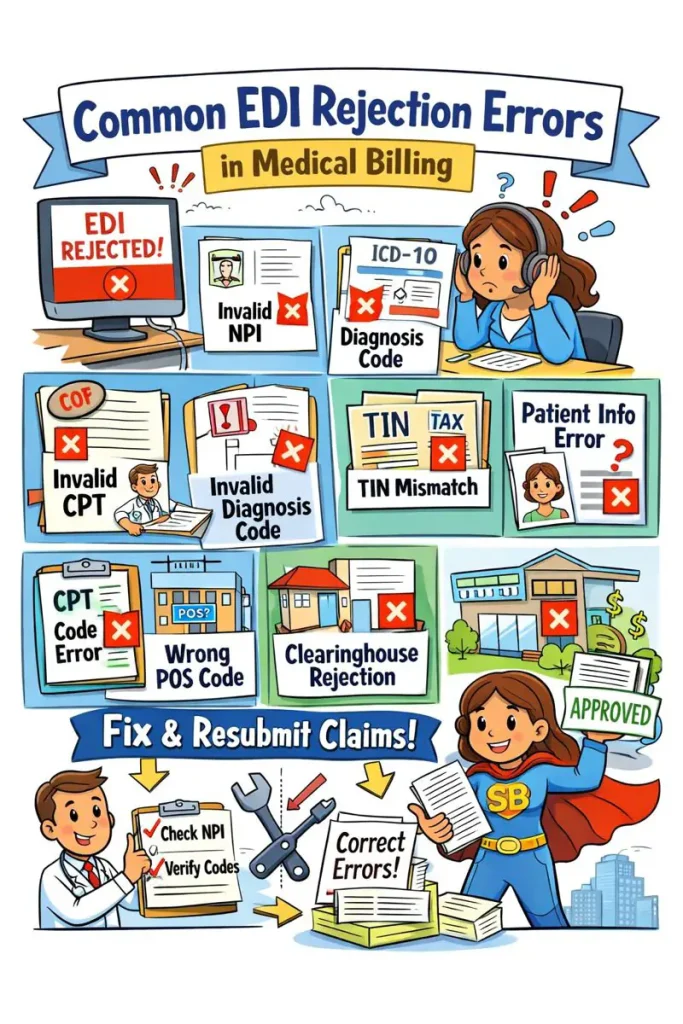
Electronic Data Interchange (EDI) is the backbone of modern medical billing. While EDI speeds up claim submission, EDI rejections are one of the most common reasons claims fail before reaching the payer. Even a small data mismatch can stop reimbursement and delay cash flow.
At Solubillix, we regularly resolve EDI rejections across multiple clearinghouses and payers. This guide explains the most common EDI rejection errors in medical billing, why they occur, and how to fix them correctly the first time.
What Is an EDI Rejection in Medical Billing?
An EDI rejection occurs when a claim is rejected by the clearinghouse (not the insurance company) due to formatting or data errors.
Rejected claims are never processed by the payer, meaning no adjudication occurs until the error is corrected and the claim is resubmitted.
👉 This is different from a claim denial, which happens after payer processing.
Why EDI Rejections Are a Serious Problem
- Claims never reach insurance
- Payment delays increase AR days
- Staff time is wasted on resubmissions
- Revenue cycle slows down
The good news?
Most EDI rejections are preventable with proper validation and billing expertise.
1. Invalid or Missing Billing Provider NPI
Error Description:
- Invalid Billing Provider NPI
- Missing NPI in Loop 2010AA
- NPI not found in NPPES
Why It Happens:
- Incorrect NPI entered
- NPI inactive or expired
- Type 1 vs Type 2 NPI confusion
✅ Solution:
- Verify NPI in the NPPES registry
- Confirm correct loop placement (2010AA for billing provider)
- Ensure the NPI matches payer enrollment records
2. Rendering Provider NPI or Qualifier Errors (Loop 2310B)
Error Description:
- Invalid Rendering Provider ID
- REF01 qualifier invalid (e.g., ZZ instead of 0B, 1G, G2)
Why It Happens:
- Incorrect REF qualifier
- Rendering provider not credentialed
- Mismatch between provider and payer records
✅ Solution:
- Use correct REF qualifiers (0B, 1G, G2, LU)
- Verify rendering provider is credentialed with payer
- Ensure rendering NPI is active and enrolled
3. Tax ID (TIN) Mismatch or Missing
Error Description:
- Billing Provider Tax ID missing
- TIN does not match payer records
Why It Happens:
- EIN entered incorrectly
- Payer has outdated enrollment information
- Clearinghouse setup errors
✅ Solution:
- Confirm EIN vs SSN usage
- Match TIN exactly with payer enrollment
- Update payer records if practice information changed
4. Subscriber or Patient Demographic Errors
Error Description:
- Invalid subscriber ID
- Member ID not found
- Patient DOB or name mismatch
Why It Happens:
- Insurance card entered incorrectly
- Old insurance on file
- Extra spaces or missing suffixes
✅ Solution:
- Reverify eligibility before submission
- Enter subscriber name exactly as shown on ID card
- Remove unnecessary characters or spaces
5. Invalid Diagnosis Code (ICD-10)
Error Description:
- Invalid diagnosis code
- Diagnosis not valid for date of service
- ICD-10 code missing 4th–7th character
Why It Happens:
- Truncated codes
- Expired ICD-10 codes
- Diagnosis not effective on DOS
✅ Solution:
- Validate ICD-10 codes for date of service
- Use full specificity
- Ensure diagnosis supports CPT billed
6. CPT / HCPCS Code Formatting Errors
Error Description:
- Invalid CPT code
- CPT not effective for DOS
- Missing modifiers
Why It Happens:
- Incorrect code selection
- Outdated CPT usage
- Required modifiers not appended
✅ Solution:
- Confirm CPT code validity for DOS
- Apply appropriate modifiers (e.g., 25, 59, 95)
- Cross-check CPT with payer rules
7. Place of Service (POS) Errors
Error Description:
- Invalid Place of Service
- POS does not match CPT
Why It Happens:
- Telehealth services billed with wrong POS
- POS not aligned with payer policy
✅ Solution:
- Use correct POS codes (e.g., 02, 10, 11)
- Align POS with telehealth or in-office services
- Follow payer-specific POS guidelines
8. Clearinghouse-Specific EDI Rejections
Common Clearinghouses:
- GatewayEDI
- Availity
- Change Healthcare
Why It Happens:
- Loop or segment formatting errors
- Missing required EDI segments
- Clearinghouse rule updates
✅ Solution:
- Review clearinghouse rejection reports carefully
- Correct loop-level errors (2010AA, 2310B, etc.)
- Stay updated on clearinghouse rule changes
How Solubillix Prevents EDI Rejections
At Solubillix, we take a proactive approach to EDI error prevention:
✔ Pre-submission claim validation
✔ Provider credentialing verification
✔ Payer-specific billing rule checks
✔ Clearinghouse compliance monitoring
✔ Fast rejection correction & resubmission
Our goal is simple: clean claims, faster payments, and reduced AR days.
Final Thoughts
EDI rejections are frustrating—but they are also 100% fixable with the right billing expertise. Understanding the most common EDI rejection errors helps practices avoid delays and improve cash flow.
If your practice is experiencing frequent EDI rejections, Solubillix is here to help with expert medical billing solutions tailored to your specialty and payer mix.